







9 Best AI Testing Tools in 2026: Why Architecture Determines Your Shortlist
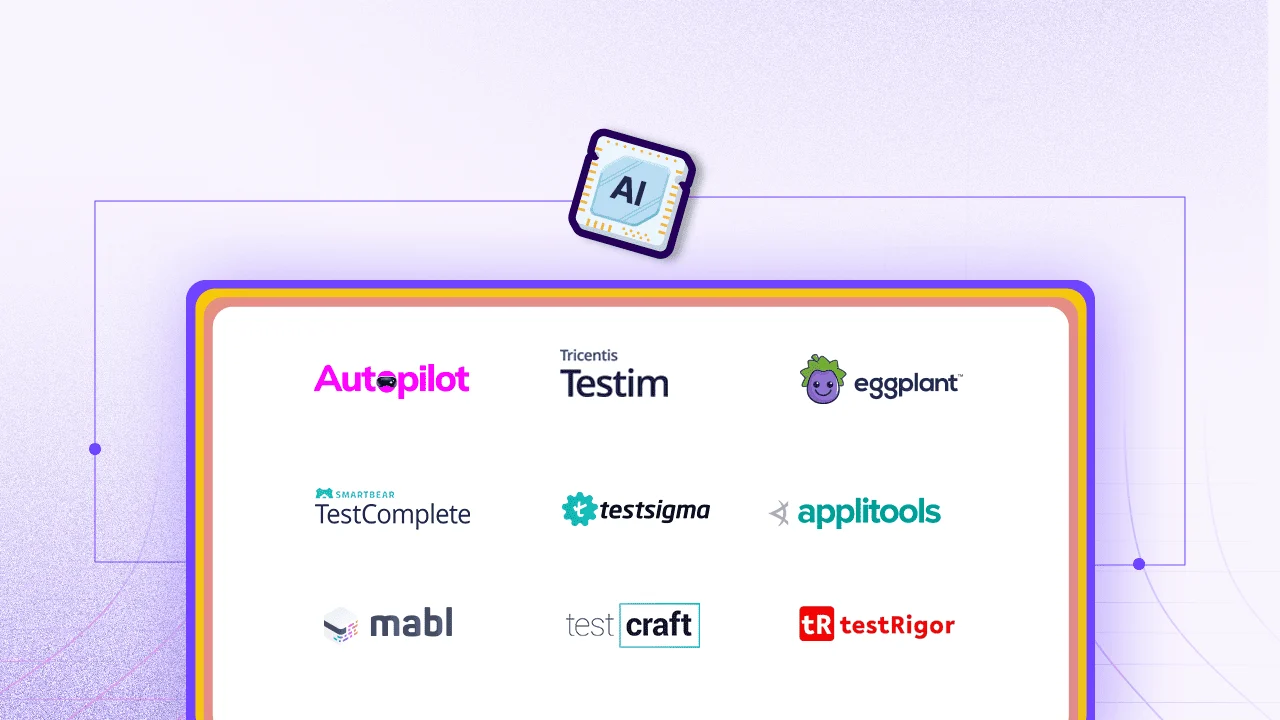
This guide compares ten AI testing tools across two architectural categories: AI-native platforms (ACCELQ, Eggplant, Applitools, Mabl, and testRigor) and AI-augmented tools (Tricentis Testim, TestComplete, Testsigma, and TestCraft). Each tool is evaluated on AI architecture, codeless capability, self-healing approach, full-stack coverage, CI/CD integration, and pricing.
- Most AI Testing Comparisons Miss the Question
- The ACCELQ Automation Architecture Test
- Which Section to Read First
- Quick Comparison: 9 AI Testing Tools in 2026
- Tool Reviews
- Best AI Testing Tools for Enterprise Apps in 2026
- How to Evaluate AI Testing Tools Before Buying: A 5-Criterion Framework
- Conclusion
Most AI Testing Comparisons Miss the Question That Narrows the Shortlist
Based on an analysis of 694 prospect conversations conducted between November 2024 and April 2025, ACCELQ found that 43% of teams evaluating AI testing tools had zero automation in place. They were considering automation for the first time. Another 29% were actively migrating away from Selenium or Playwright, not because those tools stopped working, but because maintaining them had consumed more engineering capacity than the automation was saving.
Those two segments have fundamentally different needs, and the same analysis found that self-healing automation was the primary buying trigger in 137 of 380 meaningful conversations reviewed, ahead of AI-generated test cases, CI/CD integration, and pricing. Preventing automation overhaul as applications change is a dominant cost in QA operations, and teams are evaluating tools specifically on whether they remove that cost autonomously or merely reduce it.
This matters because the U.S. AI market hit $103.7 billion in 2022 and is tracking toward $594 billion by 2032 (Stanford AI Index, 2023). Test automation is one of the clearest enterprise beneficiaries of that curve, and the tools entering the market reflect it. The architectural split between AI-native and AI-augmented means a larger market has produced more options that solve fundamentally different problems. Identifying which category applies to your team’s situation is the evaluation step that matters most, and it happens before any feature comparison.
The ACCELQ Automation Architecture Test: Two Categories, Two Different Problems
Before comparing features, pricing, or reviews, one diagnostic question narrows the shortlist faster than anything else.
Does your team currently have developers who write and maintain test scripts, and is that sustainable as your application scales?
If yes to both: you are in AI-augmented territory. These tools reduce the cost of maintaining tests your team has already built. The AI assists; humans still own the design decisions.
If no, or if your QA team includes non-developer contributors who need to build automated coverage without scripting: you are in AI-native territory. These platforms handle test design autonomously. The AI analyzes the application, maps it, generates scenarios, and heals what breaks, with no developer involvement at any of those steps.
Choosing from the wrong category is the most common mistake teams make during evaluation, and it surfaces three months after the contract is signed, when the non-developer QA lead still cannot create a test without calling a developer.
ACCELQ’s analysis of 694 prospect conversations found that among teams of 10 or fewer, which represent 56% of teams evaluating AI testing tools, the most common post-evaluation regret was purchasing an AI-augmented tool expecting AI-native behavior. The tool reduced maintenance. It did not enable non-developer contribution. For teams where that distinction mattered, the wrong purchase added a re-evaluation cycle six months later.
| Dimension | AI-Augmented Tools | AI-Native Platforms |
|---|---|---|
| How tests are created | AI assists a human who still designs test structure and decides coverage | AI analyzes the application and generates test scenarios autonomously |
| Self-healing | AI flags or suggests fixes; a human reviews and applies them | Tests adapt automatically when UI changes, no human step in the fix cycle |
| Who can create tests | Developers or experienced QA engineers | Full QA team, including analysts, manual testers, and business contributors |
| Coverage strategy | Humans decide what to test; AI generates steps, data, or assertions | AI maps the application and drives coverage without human test design |
| Maintenance overhead | Lower than scripted tools, but human review still required per cycle | Significantly lower; autonomous healing handles most UI and layout changes |
| Tools on this list | Tricentis Testim, Katalon, TestComplete, Testsigma, TestCraft | ACCELQ, Eggplant, Applitools, Mabl, testRigor |
Which Section to Read First
Use your team’s current situation to pick where to start.
Your team writes and maintains Selenium or Playwright scripts and wants lower maintenance overhead without a full rebuild: Start with Tricentis Testim and TestCraft. These tools extend what you have.
Your team includes non-developers who need to build and own automated coverage without coding: Start with ACCELQ, Mabl, and testRigor. These are the only tools on this list that run codeless alongside a real application.
Your primary problem is visual regression, layouts breaking silently after releases: Start with Applitools. It is the only tool here built specifically for that problem.
Your team is in agile web development and needs quality gates that block deployments rather than just report failures: Start with Mabl.
Your coverage needs span web, API, mobile, desktop, and enterprise applications like Salesforce or SAP: Go directly to the enterprise requirements section at the bottom of this page. Half the tools on this list do not cover those layers at all.
Quick Comparison: 9 AI Testing Tools in 2026
| Tool | AI Type | Codeless | Self-Healing | Pricing | Right For Your Team If… |
|---|---|---|---|---|---|
| ACCELQ | AI-native | Yes, 100% | Autonomous | Contact | Non-developers need to own test creation and you need coverage across web, API, mobile, desktop, and enterprise apps from one platform |
| Tricentis Testim | AI-augmented | Partial | AI-suggested | ~$450/mo | You have existing web tests built by developers and want to reduce locator breakage without rebuilding your framework |
| Eggplant | AI-native | Partial | Image-model | Contact | Your application runs in environments where DOM access is blocked, restricted, or unavailable |
| TestComplete | AI-augmented | Partial | Name-mapping | Contact | Your landscape includes both web and desktop applications and you need unified coverage without separate tools per layer |
| Testsigma | AI-augmented | Yes | Auto-heal | Contact | Non-technical testers need to write tests in plain English and your priority is fast onboarding over deep enterprise coverage |
| Applitools | AI-native | Partial | Visual baseline | Contact | Visual accuracy and brand consistency are as business-critical as functional correctness for your product |
| Mabl | AI-native | Yes | Proactive AI | ~$500/mo | Your team does web-only CI/CD testing and wants deployment quality gates, not just post-run reports |
| TestCraft | AI-augmented | No | ML false-neg | Contact | You have a large Selenium suite you cannot justify rebuilding right now and need AI maintenance reduction on top of it |
| testRigor | AI-native | Yes | Autonomous | Contact | Non-technical QA teams need to author and maintain end-to-end tests in plain English without any scripting knowledge or framework setup |
Pricing reflects publicly available information as of early 2026. Contact vendors for current enterprise quotes.
Tool Reviews
1. ACCELQ
Best AI-Native Testing Platform for Enterprise Full-Stack Codeless Automation
Forrester Wave 2025 Leader | G2: 4.8/5 | Pricing: Contact for enterprise quote
Among the tools on this list, ACCELQ makes the strongest case for fully codeless, AI-native testing across all five application layers: web, API, mobile, desktop, and mainframe. Where others offer codeless workflows for common scenarios but fall back to scripting for edge cases, ACCELQ’s architecture is built to avoid that compromise across every layer.
ACCELQ Autopilot is the agentic layer. Scenario Discovery analyzes your application and generates complete end-to-end test scenarios without human test design as the input. QGPT Logic Builder converts business rules to automation logic spanning front-end, back-end, and middleware in one connected flow. Autonomous Healing adapts tests to UI changes without a developer touching the locator.
ACCELQ customer deployments validated in the Forrester Wave Q1 2025 evaluation show 7.5x faster automation development, 72% lower maintenance overhead, and 53% cost reduction versus scripted approaches. An internal analysis of 694 prospect conversations found that self-healing automation was the primary stated buying trigger in 137 of 380 conversations reviewed, ahead of test case generation, CI/CD integration, and pricing.
Teams are switching to ACCELQ because maintaining automation that breaks on every release has become the dominant cost in their QA operation, and they need a platform that removes that cost autonomously.
Key Features
- AI-native and 100% codeless: both claims are genuine, no scripting required at any layer
- Autopilot Scenario Discovery: analyzes your application, generates E2E tests without human test design
- QGPT Logic Builder: translates business rules into automation logic across all application layers
- Autonomous Healing: detects UI changes, heals tests, logs every change with before/after detail
- Full-stack: web, API, mobile, desktop, and mainframe in one connected test flow
- Native CI/CD integration with Jenkins, Bamboo, Azure DevOps, GitLab, TeamCity, CircleCI
Pros & Cons of ACCELQ
- Only AI-native and fully codeless platform covering all five application layers without scripting
- Autopilot generates tests autonomously so non-developers contribute real automated coverage
- Autonomous Healing requires zero developer involvement; no maintenance backlog from UI changes
- Enterprise platform depth exceeds what small teams or web-only testing programs actually need
- Visual model approach takes adjustment for teams coming from script-first automation frameworks
- No self-serve public pricing tier for individual evaluation without engaging the sales team
Here is a quick sneak peek into how ACCELQ Autopilot uses GenAI and QGPT for agentic test automation: Watch a 2-minute Autopilot demo
2. Tricentis Testim
Best AI-Augmented Tool for Web and Mobile Test Stability
Pricing: From approximately $450/month. Enterprise licensing available via Tricentis.
Testim uses AI smart locators that identify elements using multiple attributes simultaneously rather than a single CSS selector or XPath. When a class name changes, the locator doesn’t break immediately because it has four or five other attributes to fall back on. Monaco editor lets teams share test logic across test files, which matters at scale when you don’t want to duplicate assertions across 200 test cases.
It’s an AI-augmented tool. The AI stabilizes tests that your team designed and built. It doesn’t generate them. Teams that want to reduce maintenance overhead without rebuilding their entire testing approach will find real value here. Teams at zero automation looking for AI coverage should check the AI-native category instead.
Pros & Cons of Tricentis Testim
- Smart multi-attribute locators survive layout changes that break single-selector tools
- Monaco editor enables code reuse across tests for shared assertion logic
- TestOps manages team testing activity with coordination features at scale
- AI-augmented: reduces maintenance on human-designed tests, does not generate them autonomously
- Price point is not accessible for small teams evaluating without existing Tricentis investment
- Full value realized within the broader Tricentis platform ecosystem
3. Eggplant
Best AI Testing Tool for Model-Based and Image-Based Automation
Pricing: Contact Keysight Technologies. Enterprise licensing.
Eggplant doesn’t use the DOM. It interacts with your application visually, recognizing elements through image matching and operating through VNC or RDP connections. The model-based digital twin predicts how the application should behave based on a model of it, which means coverage can include scenarios that click-path recording would never discover.
For standard web testing, Eggplant is overkill. Its genuine value emerges in the scenarios other tools fail on: legacy terminal interfaces, applications inside secure environments where DOM manipulation isn’t permitted, cross-platform test scripts that need to run identically on web, desktop, and mobile.
Pros & Cons of Eggplant
- Works without DOM access; reaches interfaces that DOM-based tools can't touch
- One test script runs across web, mobile, and desktop without platform-specific rewrites
- Model-based digital twin generates coverage that recording-based approaches miss
- Image library maintenance is genuinely difficult when the application updates frequently
- SenseTalk scripting language learning curve is steeper than standard web testing tools
- Enterprise pricing: not accessible for small teams or basic web-only testing programs
4. TestComplete
Best AI-Based Test Automation Tool for Web and Desktop Combined
Pricing: Contact SmartBear. Enterprise licensing.
TestComplete’s name-mapping technology finds UI controls by semantic identity rather than DOM attributes. When a developer restructures a page, name-mapping has a better chance of locating the control than an XPath expression that references a specific class that no longer exists. VisualTest adds visual regression detection on top of standard functional tests, catching layout changes that pure functional assertions would pass silently.
Pros & Cons of TestComplete
- Semantic name-mapping finds elements by identity rather than fragile DOM attribute strings
- Web and desktop coverage from one platform reduces toolchain fragmentation
- VisualTest catches layout changes that purely functional assertions miss silently
- AI-augmented: enhances human-designed tests, doesn't generate them autonomously
- Large suites are slow on lower-spec infrastructure, resource-intensive at scale
- Enterprise pricing makes it less accessible for smaller teams or tighter budgets
5. Testsigma
Best AI Automation Testing Tool for Plain English Test Authoring
Pricing: Contact Testsigma. Pro and Enterprise plans available.
Testsigma lets testers write tests in plain English. “Click the login button. Verify the dashboard loads.” The layer translates those statements into executable steps across web, mobile, API, and desktop. The AI Suggestions Engine diagnoses failures and proposes fixes rather than leaving your QA team staring at a stack trace.
Predictive defect identification is the standout feature. Testsigma prioritizes which failed test cases are likely real defects versus environment noise, reducing the investigation time that burns QA capacity after every test run.
Pros & Cons of Testsigma
- Plain English NLP test authoring removes the scripting barrier for non-developer QA contributors
- AI Suggestions Engine diagnoses failures and proposes fixes without manual stack trace investigation
- Predictive defect identification prioritizes real failures over environment and timing noise
- Complex test data configurations are challenging at the base plan level
- Contact-only pricing makes early budget estimation harder than it should be
- Enterprise production workflow depth is limited compared to full-scale enterprise platforms

6. Applitools
Best AI Testing Tool for Visual Regression and Autonomous Web Testing
Pricing: Contact Applitools. Enterprise and team plans available.
Applitools Visual AI is trained on millions of web UI elements and distinguishes meaningful visual changes from expected rendering variation. That specificity is what reduces false positives compared to pixel-comparison tools that flag every rendering difference regardless of significance. The Autonomous testing layer adds functional test generation on top, so visual and functional coverage run from one platform.
The scope limitation: this is primarily a visual testing tool with functional capability added. Teams where UI accuracy and brand consistency are as important as functional correctness get strong value. Teams where functional regression is the core concern should compare cost per meaningful test against platforms with broader functional depth.
Pros & Cons of Applitools
- Visual AI distinguishes meaningful UI regressions from rendering noise with high specificity
- Autonomous layer adds functional test generation so visual and functional run from one platform
- Integrates as a visual assertion layer on Selenium, Playwright, and Cypress without replacing them
- Primarily visual: functional-only teams get better cost-per-test from broader-scope platforms
- Dynamic content requires frequent baseline updates when the app intentionally changes design
- Enterprise pricing limits access for smaller teams or teams where visual testing is secondary
7. Mabl
Best AI-Native Web Testing Tool for Agile Teams That Need Quality Gate CI/CD
Pricing: From approximately $500/month. Contact for enterprise pricing.
Mabl proactively identifies potential flakiness before tests fail. Most AI testing tools detect a failure and then heal it. Mabl flags the stability risk earlier so the failure doesn’t happen in the first place. Quality gates block deployments when tests fail automatically, rather than reporting results and leaving the deployment decision to a human.
Teams whose coverage needs extend past the browser will discover this ceiling after committing. For agile web teams where AI maintenance reduction and genuine quality gates are the exact use case, Mabl consistently earns its price point.
Pros & Cons of Mabl
- Proactive flakiness detection before failure, not just reactive healing after them
- Quality gates block deployments automatically when tests fail: real release control
- AI auto-adapts tests when the web application changes without manual locator maintenance
- Web only: limited mobile, no desktop or enterprise application layer coverage
- Discovering the coverage ceiling after committing is a common regret pattern
- Contact-only enterprise pricing makes budget comparison harder during evaluation
8. TestCraft
Best AI-Augmented Tool for Selenium Teams Cutting ML Maintenance Overhead
Pricing: Contact TestCraft (Perfecto). Enterprise licensing.
Note: One note before the review: TestCraft was acquired by Perfecto and its public market activity has been limited since the acquisition. It remains a viable option for the specific use case described below, but teams evaluating for a three-year automation roadmap should factor its trajectory into the decision alongside the features.
TestCraft adds an ML layer on top of Selenium that cuts the maintenance work that makes Selenium frustrating at scale. ML-based false negative deletion identifies test failures caused by the test environment rather than actual application defects and removes them from the failure count automatically.
This is built specifically for teams with existing Selenium investment. Teams without that investment, or teams that could justify a full migration, will get more value from platforms with native AI architectures.
Pros & Cons of TestCraft
- ML false negative deletion reduces environment-noise failures from Selenium test run counts
- Supports both manual and automated testing from the same platform
- AI maintenance reduction for existing Selenium suites without requiring full suite migration
- Built for Selenium teams specifically: limited value for teams without existing Selenium suites
- Not a strong starting point for teams building automation from scratch in 2026
- Contact-only pricing adds friction to early evaluation before engaging sales
9. testRigor
Best for Plain-English End-to-End Test Automation
Pricing: Free tier available (unlimited test cases, public results). Enterprise custom pricing upon request.
testRigor allows QA teams to write end-to-end tests in free-flowing plain English without selectors, locators, or scripting knowledge. Its GenAI layer generates tests from app descriptions and feature specs, and it can cover AI-native features like LLMs, chatbots, and image validation. For teams where non-technical members need to own test authoring, this is a meaningful accessibility advantage over ACCELQ’s model-based framework.
Where ACCELQ has a clear edge is platform breadth – covering web, mobile, API, desktop, and packaged apps like SAP and Salesforce within a unified quality lifecycle. testRigor’s scope is strongest on web and mobile end-to-end flows, and its pre-built integration library is narrower. Teams with complex enterprise stacks or embedded test management needs will find ACCELQ the more complete platform; testRigor suits teams whose primary goal is getting non-engineers writing and maintaining tests quickly.
Pros & Cons testRigor
- Plain-English authoring requires zero coding - accessible to the whole team
- Can test AI-native features including LLMs, chatbots, and image-based validations
- Free tier includes unlimited test cases - low barrier to evaluate before committing
- Narrower platform coverage than ACCELQ for desktop and packaged enterprise apps
- Fewer pre-built integrations compared to more established platforms
- Less mature ecosystem and community documentation than category leaders
Best AI Testing Tools for Enterprise Apps in 2026
The question enterprise QA teams consistently underweight during evaluation: which AI testing tools can automate a complete business process spanning the web front-end, the API back-end, the mobile app, and the enterprise ERP system, in a single automated test flow, without switching platforms mid-flow? The answer to that question narrows this list significantly before any other feature comparison happens:
| Capability | Why It Matters | How ACCELQ Differs |
|---|---|---|
| AI self-healing tests | UI changes constantly break recorded selectors; manual fixes cost hours per sprint | ACCELQ AI auto-repairs element locators on change; no human intervention needed. Mabl partial healing only |
| Natural language test authoring | Business analysts and product owners can write test logic without learning any tool syntax | ACCELQ conversational, intent-based test creation with no scripting or recording required. testRigor limited NL support |
| AI test generation from requirements | Generating test coverage manually from user stories is slow and inconsistent across teams | ACCELQ auto-generates test scenarios directly from user stories and acceptance criteria |
| Unified API + UI testing in a single flow | Switching tools between API and UI testing creates coverage gaps and slows teams down | ACCELQ API and UI steps authored together in one test flow, sharing data natively. Tricentis requires separate tool stack |
| Zero-maintenance test infrastructure | On-premise grids and driver management consume significant DevOps bandwidth | ACCELQ fully cloud-native execution, no grid setup, driver updates, or infrastructure management. Most tools require Selenium Grid or cloud account setup |
| Built-in CI/CD pipeline integration | Enterprise dev teams need QA embedded in Jenkins, Azure DevOps, and GitHub Actions without extra glue code | ACCELQ native plugins for Jenkins, Azure DevOps, GitHub Actions, Jira: no custom scripting Others need manual webhook/API wiring |
| Intelligent test prioritization & impact analysis | Running the full test suite every build wastes time; teams need smart subset selection based on code changes | ACCELQ AI identifies which tests are impacted by a given code change and runs only those first |
Coverage breadth across web, API, mobile, desktop, and packaged enterprise applications (SAP, Salesforce, Workday, ServiceNow) matters because for enterprise applications governance requirements, audit traceability from requirement to defect, and third-party analyst validation affect procurement decisions.

How to Evaluate AI Testing Tools Before Buying: A 5-Criterion Framework
The single biggest evaluation mistake is testing the tool on the vendor’s demo application. Demo apps are engineered to make the tool look good. The only evaluation that matters is on your actual application, with your actual team, connected to your actual CI/CD pipeline.
NEXT STEP
Not sure how to embed AI into your testing workflow without the guesswork?
AI Testing Tools: Quick shortlist by team profile:
Non-developer QA team, enterprise applications across multiple layers: the AI-native and codeless category is the only shortlist. ACCELQ covers all five layers without any scripting at any point.
Developer team with existing Selenium investment that can’t justify a full migration: AI-augmented tools. Tricentis Testim and TestCraft extend what you have without rebuilding it.
Agile web team where CI/CD quality gates are the specific business case: Mabl. This is the exact use case it was built for.
Visual regression is as important as functional testing for your product: Applitools adds a visual AI layer that functional-only tools pass right over.
Enterprise teams covering SAP, Salesforce, or packaged apps alongside web: coverage scope is the first filter, not feature lists. Most tools on this list don’t cover those apps at all.
Conclusion
The AI-augmented category is going to consolidate over the next two years. Teams that built test suites on Selenium plus an AI maintenance layer are one platform generation away from a rebuild regardless of which AI-augmented tool they choose. The underlying architecture, where humans design tests and AI reduces the cost of maintaining them, hits a ceiling at scale. The non-developer contribution problem stays unsolved. The maintenance backlog shrinks but persists.
That ceiling is why 29% of teams in ACCELQ’s prospect dataset were already migrating away from open-source tools when they entered evaluation.
The tools worth evaluating seriously in 2026 are the ones that answer the question you will be asking in 2028: can non-developers on my team build and sustain meaningful automated coverage without a developer in the loop? For most enterprise QA teams, the answer to that question narrows this list to three or four options before any feature comparison starts.
Test the tools on that question first. Demo apps are engineered to make every tool look capable.
- 3x faster automation development
- 70% less test maintenance
- Covers Classic, Lightning & LWC



Geosley Andrades
Director, Product Evangelist at ACCELQ
Geosley is a Test Automation Evangelist and Community builder at ACCELQ. Being passionate about continuous learning, Geosley helps ACCELQ with innovative solutions to transform test automation to be simpler, more reliable, and sustainable for the real world.

You Might Also Like:
 AI-Powered Root Cause Analysis for Better Testing Outcomes
AI-Powered Root Cause Analysis for Better Testing Outcomes
 A Tester’s Guide to Surviving Hyperautomation!
A Tester’s Guide to Surviving Hyperautomation!
 Gen AI Use Cases: Practical Applications and Enterprise Framework