







10 Tools to Stop Quarterly Update Maintenance Sprints (Not Just Automate Tests)
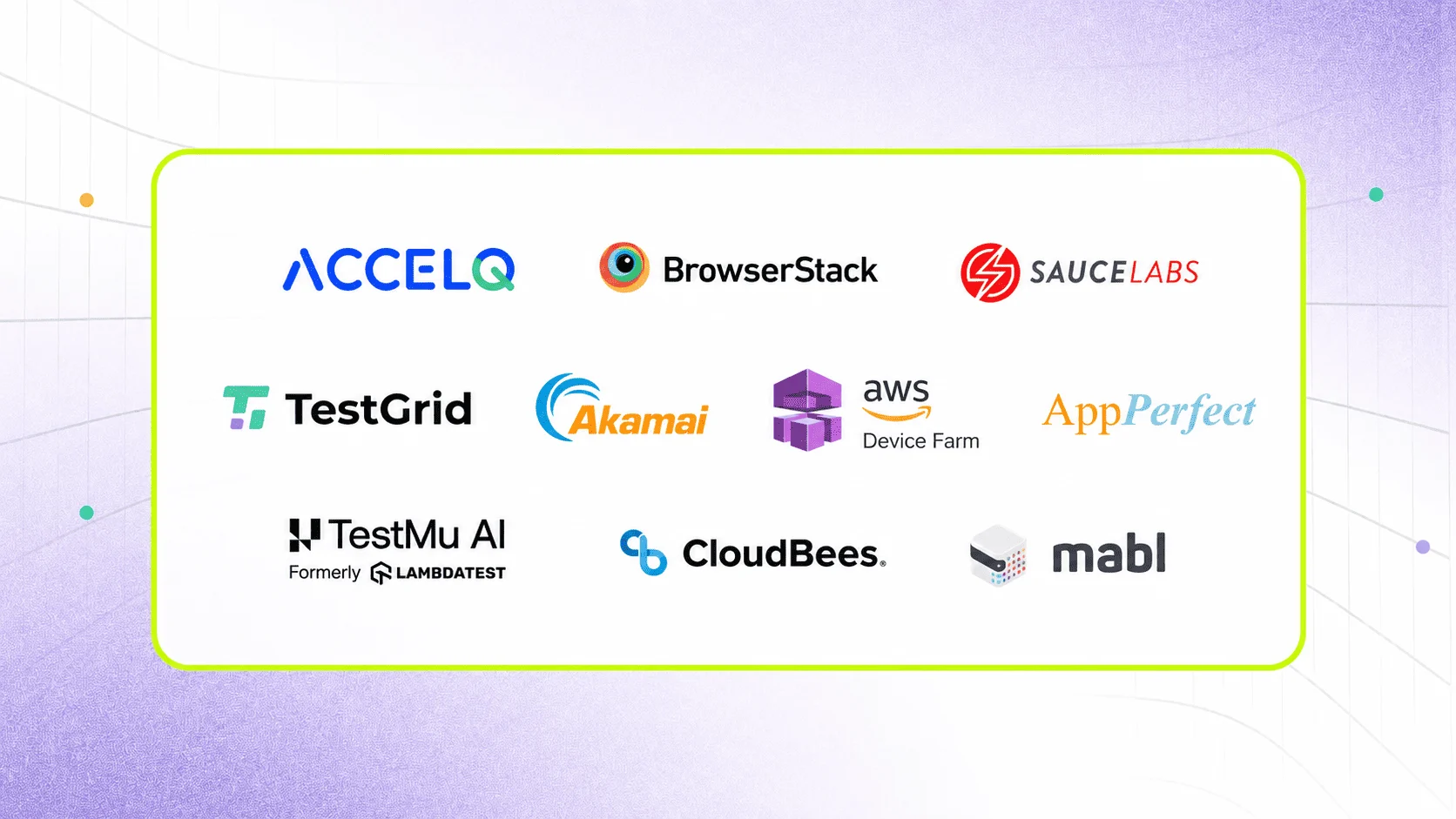
The 10 best cloud testing tools in 2026 are ACCELQ, BrowserStack, Sauce Labs, TestGrid, CloudTest (Akamai), AWS Device Farm, AppPerfect, LambdaTest, Jenkins Dev Cloud, and Mabl. They are compared here not just on browser coverage and CI/CD integration, but on the criterion most cloud testing tool reviews ignore: whether the platform can survive a quarterly packaged application update cycle without triggering a maintenance sprint.
The release passed every test in the staging environment. Two hours after go-live, the order management workflow was broken, a UI change in the quarterly packaged app update had invalidated 43 selectors, and the cloud testing tool had no way to know the application had changed underneath it. The team spent two days in manual regression instead of shipping.
That scenario plays out across enterprise QA teams every quarter. The tools that handle it well do one thing differently: they treat quarterly update cycles as a test design problem, not an infrastructure problem. Buying faster execution doesn’t fix selectors that weren’t built to survive the next release. This guide is built around that distinction.
- The Cloud Testing Landscape: Infrastructure vs. Logic
- Cloud Testing Tool Comparison: All 10 Tools at a Glance
- 1. ACCELQ
- 2. BrowserStack
- 3. Sauce Labs
- 4. TestGrid
- 5. CloudTest (Akamai)
- 6. AWS Device Farm
- 7. AppPerfect
- 8. TestMu AI
- 9. Jenkins Dev Cloud (CloudBees)
- 10. Mabl
- The Bottom Line: Which Tool Fits Your 2026 Strategy?
The Cloud Testing Landscape: Infrastructure vs. Logic
Cloud testing tools in 2026 fall into three distinct architectural categories. Choosing the right one depends entirely on your team’s skillset and what you are actually testing:
-
Raw Execution Infrastructure (Device/Browser Clouds)
Tools like BrowserStack and Sauce Labs. They provide thousands of real devices and pristine browser environments. They do not write tests for you or fix your scripts. They rely on your developers writing clean Selenium, Appium, or Playwright code.
-
AI-Driven Web Automation
Tools like Mabl. They focus on custom web applications, using machine learning to look at DOM changes and reduce test maintenance for standard SaaS or B2C websites.
-
Enterprise Process Automation
Platforms like ACCELQ. These are built specifically for complex ERPs and packaged ecosystems (Salesforce, SAP, Oracle) where standard code-heavy scripts break due to dynamic multi-layer objects and quarterly vendor updates.
Cloud Testing Tool Comparison: All 10 Tools at a Glance
| Tool | Core Architecture | Best For | Native ERP Awareness? | Pricing Model |
|---|---|---|---|---|
| ACCELQ | Model-based Codeless AI | Enterprise business processes (SAP, Salesforce, APIs) | Yes | Enterprise contract only |
| BrowserStack | Real Device / Browser Cloud | High-scale cross-browser validation of custom code | No | Self-serve starting at $29/mo |
| Sauce Labs | Real Device / Browser Cloud | Mobile app testing & error monitoring at scale | No | Self-serve starting at $49/mo |
| TestGrid | Hybrid Infrastructure + AI | Mid-market scriptless test creation with basic healing | No | Custom enterprise quotes |
| CloudTest (Akamai) | Performance Infrastructure | Simulating massive global load spikes pre-launch | No | Enterprise portfolio pricing |
| AWS Device Farm | Native AWS Device Cloud | Mobile testing for teams fully locked into AWS CI/CD | No | Pay-per-use ($0.17/min) |
| AppPerfect | Java-Based Cloud Suite | Budget-constrained legacy Java environment testing | No | Tiered license model |
| LambdaTest | Browser Execution Cloud | Commodity cross-browser testing for existing scripts | No | Self-serve starting at $15/mo |
| Jenkins Dev Cloud | Cloud Orchestration | Centralized pipeline management, not execution | No | SaaS usage fees via CloudBees |
| Mabl | ML-Driven Web Automation | Custom web app QA teams minimizing DOM maintenance | No | Tiered subscription model |
1. ACCELQ

The Baseline: We built ACCELQ to solve the exact problem infrastructure clouds ignore: the enterprise maintenance nightmare. Instead of focusing on raw browser hosting, we focus on test logic. The platform uses a codeless, model-based automation layer that natively maps out ERP ecosystems (SAP, Salesforce, Oracle, Microsoft Dynamics 365). When an enterprise vendor updates their software, our live cloud link adapts to the underlying UI shifts automatically, neutralizing selector breakage.
Best for: Enterprise QA teams testing end-to-end business workflows across SAP, Salesforce, Oracle, or Dynamics 365 who need automated maintenance, not just generic device access.
Pros & Cons of ACCELQ
- Only cloud platform with native, semantic enterprise application awareness for dynamic ERP object trees.
- AI Autopilot auto-updates test designs and self-heals selectors post-release without manual script editing.
- Unified codeless framework bridges web, API, mobile, and backend/mainframe into a single continuous flow.
- Not for "Code-First" Purists: If your engineering team heavily values direct code ownership and wants to build custom open-source testing frameworks (Cypress/Playwright) from scratch, our model-based, codeless environment will feel restrictive.
- No Self-Serve Evaluation: You cannot swipe a credit card and start testing in 5 minutes. Because enterprise environments require custom sandbox configurations, you must go through an assisted demo and scoping process before deployment.
2. BrowserStack

The Baseline: BrowserStack is the industry standard for high-scale, infrastructure-driven testing. If you have an army of software engineers writing raw Playwright, Appium, or Selenium scripts for a custom-built B2C platform, BrowserStack offers unmatched real device depth, secure local binary tunneling, and flawless parallel execution across thousands of browser/OS combinations.
Best for: Development-heavy QA teams needing high-concurrency execution for custom-coded testing frameworks without managing a physical hardware lab.
Pros & Cons of BrowserStack
- Massive, pristine real device cloud that accurately replicates live user hardware setups including network conditions.
- Native, frictionless integration with standard open-source testing frameworks (Selenium, Cypress, Playwright, Appium).
- Robust debugging suite providing immediate video playbacks, network logs, and console errors per step.
- Zero ERP Context: BrowserStack treats your software as raw code. It has no semantic understanding of packaged apps. If a Salesforce update changes underlying dynamic IDs, BrowserStack will execute the broken script flawlessly, leaving your team to manually debug the code.
- Concurrency Cost Scaling: The platform operates on concurrent session pricing. If your global enterprise needs high concurrency for massive regression suites, the bill scales exponentially.
3. SauceLabs

The Baseline: Sauce Labs matches BrowserStack on raw infrastructure capability but pivots heavily toward mobile app vitals and production error monitoring. By embedding real-time telemetry (CPU usage, memory leaks, GPS simulation) directly into the test execution layer, it allows mobile QA teams to catch operational performance failures alongside functional bugs before deployment.
Best for: Mobile-first engineering teams that need to run custom automated test scripts while monitoring device-level performance and post-release crash reporting.
Pros & Cons of Sauce Labs
- Combines real device execution with production-grade crash reporting and error insights.
- Provides deep mobile-specific simulation features like biometrics, GPS gating, and multi-touch gestures.
- Offers private cloud deployment models to satisfy strict data isolation requirements in highly regulated sectors.
- High Scripting Overhead: Sauce Labs does not write or fix tests. If your team lacks deep engineering experience in writing highly stable Appium or Selenium scripts, you will face high test flakiness due to script architecture, not the cloud infrastructure.
- Real-Device Latency: Running massive, unoptimized suites on real physical mobile hardware in remote data centers introduces noticeable execution latency compared to virtual emulators.
4. TestGrid

The Baseline: TestGrid is a mid-market hybrid tool that attempts to bridge the gap between a real device cloud and low-code test generation. It includes a scriptless test case builder and a basic AI-assisted selector healing mechanism. While it gives budget-conscious teams access to real devices and automated maintenance, its AI engine lacks the deep object-model awareness required to parse complex enterprise ERPs.
Best for: Mid-market QA teams with limited programming resources who need a low-cost, all-in-one platform for basic scriptless web and mobile testing.
Pros & Cons of TestGrid
- Flexible deployment models allowing the platform to be hosted on-premise or within a private cloud infrastructure.
- Built-in test data parameterization allows testing of multiple user scenarios out-of-the-box.
- Includes a scriptless interface accessible to manual testers who cannot write raw framework code.
- Unclear Error Reporting: When tests fail due to unexpected UI changes, the platform's diagnostic error logs can be vague, often requiring manual engineering intervention or vendor support to isolate the failure.
- Scale Limitations: The execution engine frequently struggles with high traffic and heavy concurrency spikes, leading to dropped sessions during large, simultaneous enterprise regression runs.
5. CloudTest (Akamai)

The Baseline: CloudTest is an enterprise specialist platform built exclusively for global load, stress, and performance testing. It is completely useless for functional regression testing, UI validation, or cross-browser checks. Instead, it leverages Akamai’s global edge network to blast applications with realistic, multi-region traffic spikes to ensure infrastructure survives high-concurrency events.
Best for: Performance engineers and DevOps teams preparing for massive, coordinated traffic events who must simulate global user loads without building in-house stress hardware.
Pros & Cons of CloudTest (Akamai)
- Massive, cloud-scale load generation capable of simulating millions of concurrent users simultaneously.
- Geographic origin configuration allows testing of regional CDN performance and global server responsiveness.
- Real-time analytics engine allows engineers to dynamically scale or adjust load parameters during active test execution.
- Zero Functional Coverage: It cannot validate if a button works, if a UI looks right, or if an API returns correct data logic. It is strictly an infrastructure stress-testing tool.
- Prohibitive Cost Model: The licensing structure is designed for large enterprise budgets; it is economically unviable for teams needing occasional or routine mid-sprint load testing.
6. AWS Device Farm

The Baseline: AWS Device Farm is a bare-bones, highly reliable real device cloud hosted within AWS data centers. It lacks the slick UI features, built-in frameworks, or customer success layers of modern testing platforms. It is designed purely as an infrastructure extension for cloud-native developers who want to plug real Android and iOS hardware straight into their existing AWS CodePipelines via API.
Best for: Advanced DevOps teams fully embedded in the AWS ecosystem who require programmatic, pay-per-use access to real mobile devices via command line or native AWS APIs.
Pros & Cons of AWS Device Farm
- Frictionless integration for teams already using AWS CodePipeline, CodeBuild, and Identity Access Management (IAM).
- Pure pay-per-use pricing models ($0.17 per device minute) eliminate fixed monthly contract lock-ins for sporadic testing.
- Runs tests directly inside secure AWS infrastructure, satisfying strict enterprise security and data isolation rules.
- High Technical Complexity: There is zero codeless or scriptless testing support. Setting up, executing, and configuring private device fleets requires deep, specialized AWS administration knowledge.
- Fragmented Device Matrix: While it maintains the core dominant mobile hardware configurations, it frequently misses niche, regional, or legacy device variants found on dedicated device clouds like BrowserStack.
SUGGESTED READ - DevOps Testing: Types, Advantages, Best Practices
7. AppPerfect

The Baseline: AppPerfect is a legacy, Java-based testing suite that has been extended to support cloud-hosted functional and load testing execution. Its user interface is heavily dated, configuration-intensive, and relies on an older approach to test automation. However, it offers a single-vendor footprint for both load and functional testing at a fraction of the licensing cost of modern SaaS alternatives.
Best for: Small to medium IT teams working on legacy Java environments with tight budget limits who favor low licensing costs over modern UI usability.
Pros & Cons of AppPerfect
- Consolidates both functional testing and basic distributed load testing under a single license model.
- Significantly lower upfront software licensing fees compared to modern enterprise testing platforms.
- Supports distributed cloud execution across multiple virtual machines for localized stress testing.
- Severe Usability Friction: The interface and setup workflows are archaic, requiring heavy manual configuration and a steep learning curve for teams used to modern web-based testing tools.
- Weak Ecosystem Integration: It lacks native, modern webhooks or out-of-the-box integrations for modern CI/CD tools (like GitHub Actions or GitLab), requiring custom scripting to pipe test data.
8. TestMu AI

The Baseline: TestMu AI entered the market as a low-cost challenger to BrowserStack and has matured into a highly competitive commodity browser execution cloud. While it includes basic stability features like a SmartWait algorithm to handle element timing issues, it remains fundamentally an execution layer. It is built to run your existing open-source scripts cheaply and quickly across a broad matrix of browsers.
Best for: Software teams with stable, pre-written Selenium or Cypress frameworks who want to slash their infrastructure bill without changing their core test code.
Pros & Cons of LambdaTest
- Highly aggressive, accessible entry-level pricing for automated cross-browser execution.
- SmartWait algorithm mitigates basic flaky test behavior caused by asynchronous page loading speeds.
- Consolidates live interactive manual testing and automated framework execution inside one dashboard.
- No Native Mobile Apps: The standard, low-cost tiers focus entirely on browser testing; it does not offer native iOS/Android real-device application binary execution.
- Dashboard Performance Degradation: When processing massive enterprise datasets or pulling historically large test execution logs, the reporting dashboard can suffer from significant UI lag.
9. Jenkins Dev Cloud (CloudBees)

The Baseline: Jenkins Dev Cloud (managed via CloudBees) is not an application testing tool; it is an orchestration layer. It does not look at your app, validate UI, or provide device access. Instead, it serves as the centralized, cloud-hosted pipeline brain that triggers execution across multiple separate testing tools, aggregates their results, and gates your code deployment.
Best for: Enterprise QA and DevOps architectures that run multiple distinct testing tools and need a highly scalable, cloud-hosted pipeline engine to coordinate them.
Pros & Cons of Jenkins Dev Cloud
- Massive plugin ecosystem ensures native connectivity to every single cloud testing tool on this market.
- Eliminates the infrastructure overhead, server patching, and security maintenance of self-hosting a Jenkins master node.
- Extremely cost-effective for orchestrating vast, multi-stage delivery pipelines across global engineering teams.
- Heavy Configuration Burden: Setting up complex, YAML-based enterprise testing pipelines requires deep, dedicated DevOps engineering expertise; it cannot be managed by QA generalists.
- Maintenance Overhead: Even in a managed cloud environment, teams must constantly manage plugin version compatibility and security compliance patches to prevent pipeline failures.
10. Mabl

The Baseline: Mabl is an AI-native testing tool engineered exclusively for custom web applications. It relies on a machine learning model that continuously analyzes the DOM of your application to automatically update selectors when code changes occur. While it is highly effective at reducing maintenance for custom SaaS products, B2C sites, and agile web apps, it lacks the specialized structural awareness required to decode dynamic enterprise ERP frameworks (like SAP or Oracle).
Best for: Agile product teams building custom web applications who want to transition away from scripted frameworks to an ML-driven low-code approach.
Pros & Cons of Mabl
- Strong ML-driven self-healing engine that significantly cuts locator maintenance for standard web DOM shifts.
- Autonomous application traversal features can auto-generate baseline test flows based on observed user behavior.
- Clean, sprint-level quality metrics that map test coverage straight back to feature branches and user stories.
- Incapable of Complex ERPs: While it excels at standard web DOM structures, it falls apart when confronting multi-layered, shadow-DOM, non-standard ERP controls used by enterprise platforms like SAP or Salesforce.
- Web-Centric Limitations: The core architecture is heavily optimized for web environments; it does not provide comprehensive native mobile application binary testing infrastructure.
Do more with Test Automation
Discover more ways to add ‘low-code no-code‘ test automation in your workflows
The Bottom Line: Which Tool Fits Your 2026 Strategy?
To cut through the marketing noise, answer these three operational questions:
-
Who is writing your tests? If it is core software engineers who demand code-level framework control (Playwright/Cypress), buy BrowserStack or Sauce Labs. If it is business analysts, QA leads, and functional experts who need speed without code, look at ACCELQ.
-
What is the application stack? If you are testing a custom-built React/Node.js web application, infrastructure clouds or tools like Mabl are highly efficient. If you are testing an end-to-end business flow that touches SAP, Salesforce, legacy interfaces, and APIs simultaneously, you need an enterprise-native platform like ACCELQ.
-
Where is your budget leaking? If you are spending too much money on maintaining physical device labs, outsource your execution layer to LambdaTest or BrowserStack. If you are spending 40% of every sprint cycle just fixing broken automation scripts from the previous release, move away from infrastructure clouds and look at automated self-healing platforms.
Conclusion
Cloud testing tools streamline software delivery by automating repetitive tasks across web and mobile platforms, boosting efficiency and quality. ACCELQ, a leading cloud based platform, can perform codeless automation testing for web, API, mobile, and desktop apps. It offers deep vendor alignment with cloud and enterprise apps with power and flexibility. This platform supports instant release alignment of live codeless automation assets in a multi-cloud environment.
Book a free trial today to explore how ACCELQ can transform your cloud testing strategies and speed up your testing process.
- 3x faster automation development
- 70% less test maintenance
- Covers Classic, Lightning & LWC



Geosley Andrades
Director, Product Evangelist at ACCELQ
Geosley is a Test Automation Evangelist and Community builder at ACCELQ. Being passionate about continuous learning, Geosley helps ACCELQ with innovative solutions to transform test automation to be simpler, more reliable, and sustainable for the real world.


You Might Also Like:
 Best 6 Playwright Alternatives for Test Automation (2026)
Best 6 Playwright Alternatives for Test Automation (2026)
 Top 6 Functionize Alternatives for QA Teams (2026)
Top 6 Functionize Alternatives for QA Teams (2026)
 12 Top Rated Test Automation Tools in 2026